
I'm using Ubuntu 22.04
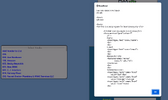
My code allows selection of vendors from a database except when; "if (choice=='Add Vendor to List')". When that happens I want to enable the $.ajax call to be able to add a new vendor to the database and re-do the original code again where the added vendor will now be in the database and available as a choice in the selection. output is shown below when I select 'Add Vendor to List'
Thanks in advance in solving this. R
addVender.php is:
My code allows selection of vendors from a database except when; "if (choice=='Add Vendor to List')". When that happens I want to enable the $.ajax call to be able to add a new vendor to the database and re-do the original code again where the added vendor will now be in the database and available as a choice in the selection. output is shown below when I select 'Add Vendor to List'
Thanks in advance in solving this. R
Code:
<script type="text/javascript" > // Drop Down List for Vendors
var choice="";
var myValues=[];
var vendorValues=[];
var fieldsKeys=[];
var fieldsVals=[];
var addFlag=false;
$(document).ready(function() {
$("#rbox").hide();
//var vendorinput="input[name='Vendor']" // gets vendors from database
$("input[name='Vendor']").focus(function(){
$("#rbox").show();
var request=$.ajax({
url: 'vendorList.php',
dataType: "json"
})
request.done(function(retdata){
vendorValues=Object.values(retdata) // create array of values from retdata json string object
//$('#rbox').append($("<h4>Vendors Available to Pick</h4>")) used caption see line 224
$('#rbox') .append("<select id='selbox' name='selbox' size='10'></select>");
for (var i=0; i<retdata.length; i++) {
myValues[i]=vendorValues[i]['Vid']+". "+vendorValues[i]['Vendor']; // array of values for each retval object
}
$('#selbox').append("<option selected disabled> --------------------------------- Select Vendor ------------------------------</option>"); // Add Caption
$('#selbox').append("<option>Add Vendor to List</option>");
for (const val of myValues) {
$('#selbox').append($("<option>").prop({value: val, text: val}));
$('#rbox').append("<br><br>");
}
//$('#selbox').append("<option value='2'>Update Vendor List</option>");
$("#selbox").on('change', function () {
choice=$("#selbox option:selected").text();
[B]if (choice=='Add Vendor to List') {
addFlag=true;
}[/B]
$("input[name='Vendor']").val(choice); // 'Vendor' value is populated w/ choice
}) // selbox
}) // done
**console.log("line 324 "+choice+addFlag);
if (addFlag=true) {
console.log('line 328 addFlag is true');
var request2=$.ajax({
url: 'addVendor.php', //Gets to 'addVendor' but does not run it
dataType: "text"
})
request2.done(function(retdata){
alert("line 336 "+retdata); //repeats showing of all code each time you press enter key see Attachement.
})
} // if addFlag[/B]**
}); // input
}) // ready
</script>addVender.php is:
Code:
<!DOCTYPE html>
<html>

<head>
</head>

<body>
<h2>This is a test program for insertQuery.php </h2>
    <?php
        // Defining variables
        $name = $email = $level = $review = "";

        // Checking for a POST request
        if ($_SERVER["REQUEST_METHOD"] == "POST") {
        $name = test_input($_POST["name"]);
        $email = test_input($_POST["email"]);
        $review = test_input($_POST["review"]);
        $level = test_input($_POST["level"]);
        }

        // Removing the redundant HTML characters if any exist.
        function test_input($data) {
        $data = trim($data);
        $data = stripslashes($data);
        $data = htmlspecialchars($data);
        return $data;
        }
        ?>

        <h2>PHP Form Example: GFG Review</h2>
        <form method="post" action=""
            //"<?php echo htmlspecialchars($_SERVER[" PHP_SELF "]);?>">
            Name:
            <input type="text" name="name">
            <br>
            <br>
            E-mail:
            <input type="text" name="email">
            <br>
            <br>
            Review For GFG:
            <textarea name="review"
                    rows="5" cols="40">
            </textarea>
            <br>
            <br>
            Satisfaction Level:
            <input type="radio" name="level"
                value="Bad">Bad
            <input type="radio" name="level"
                value="Average">Average
            <input type="radio" name="level"
                value="Good">Good
            <br>
            <br>
            <input type="submit" name="submit"
                value="Submit">
        </form>

        <?php
            echo "<h2>Your Input:</h2>".$name."<br>";
            /*echo $name;
            echo "<br>";
            echo $email;
            echo "<br>";
            echo $review;
            echo "<br>";
            echo $level;*/
        ?>


</body>
</html>
Attachments
Last edited:




