Hi there guys & gals...So I am at the end of my app build and have found a strange behaviour when running on android as apposed to normal python run...
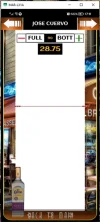
Referencing attached image...
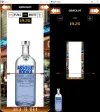
LHS is way app should work as per python running...
RHS is way app runs from Android after compile...
Taking into account this is my first venture and a total newbie to python & Kivy...
My python snippet for launch screen, carousels etc here and string snippet for slider below...
I know it has to do with my layouts and am hoping someone can offer some insight...
Thank You
Steven
Referencing attached image...
LHS is way app should work as per python running...
RHS is way app runs from Android after compile...
Taking into account this is my first venture and a total newbie to python & Kivy...
My python snippet for launch screen, carousels etc here and string snippet for slider below...
Code:
class EzLaunchScreen(Screen):
    image1 = StringProperty("")
    overlay_height = NumericProperty(szH)
    overlay_opacity = NumericProperty(0)

    def __init__(self, **kwargs):
        super().__init__(**kwargs)
        self.max_height = szH
        img_path1 = os.path.join(main_path, 'Images/Carousel')
        img_path2 = os.path.join(main_path, 'Images/CarouselF')
        img_path3 = os.path.join(main_path, 'Images/LaunchScreen.png')
        # Funtion get images into carousel from path...Bottom
        layout = FloatLayout()
        # launch screen image
        self.background_image = Image(source=img_path3)
        layout.add_widget(self.background_image)

        self.carousel_widget = Carousel(direction='right', size_hint=(None, None), size=(szW, self.overlay_height))
        # with self.carousel_widget.canvas.before:
        #     #Color(0, 0, 0, 0)
        #     self.rect = Rectangle(size=self.carousel_widget.size, pos=self.carousel_widget.pos)
        # Load images into carousel from path...
        for img_file in os.listdir(img_path1):
            if img_file.endswith(('.png', '.jpg', '.jpeg')):
                if not self.image1:
                    self.image1 = img_file.split('.')[0].upper()
                    print (f"image name is '{self.image1}'")
                    print (f"image file is '{img_file}'")
                img = Image(source=os.path.join(img_path1, img_file), size_hint=(None, None), size=(szW, self.overlay_height))
                self.carousel_widget.add_widget(img)
        layout.add_widget(self.carousel_widget)

        # Function to create an overlay container (StencilView to clip)
        self.overlay_container = StencilView(size_hint=(None, None), size=self.carousel_widget.size)

        # with self.overlay_container.canvas.before:
        #     Color(0, 0, 0, 0)  # RGBA values for transparent (0, 0, 0, 0)
        #     self.rect = Rectangle(size=self.overlay_container.size, pos=self.overlay_container.pos)

        self.carouselF_widget = Carousel(direction='right', size_hint=(None, None), size=(szW, self.overlay_height))
        # Funtion get images into carouselF from path...Top
        for img_file in os.listdir(img_path2):
            if img_file.endswith('.png'):
                if not self.image1:
                    self.image1 = img_file.split('.')[0].upper()
                img = Image(source=os.path.join(img_path2, img_file), size_hint=(None, None), size=(szW, self.overlay_height))
                self.carouselF_widget.add_widget(img)
        self.overlay_container.add_widget(self.carouselF_widget)
        layout.add_widget(self.overlay_container)
        self.add_widget(layout)
Code:
<EzLaunchScreen>:
    name: 'EzLaunch'
    val_text: ToT_label
    slide_text: slider_label
    tot_text: slider_tot

    FloatLayout:
        # This is the slider control for alcohol levels...
        Slider:
            background_color: 0, 0, 0, 0
            background_width: 1
            id: slider_widget
            min: 33
            max: 794
            step: 0.25
            value: 0
            cursor_image: 'Images/slider.png'
            cursor_width: self.width * 0.75
            cursor_height: 15.05
            orientation: 'vertical'
            size_hint: None, None
            size: '368dp', '794dp'
            pos_hint: {'x': 0,'y': 0.027}
            on_value: root.slide_it(*args)
            on_value: root.update_overlay_height(self.value)
I know it has to do with my layouts and am hoping someone can offer some insight...
Thank You
Steven