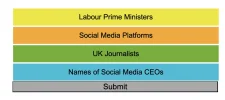
Hi Eliot,
Congrats on finishing your Connections-style game! To display the final row of answers and turn it blue when the player gets the last set correct, you can use JavaScript to dynamically update the DOM and apply styles. Here's how:
Steps:
- Identify the Final Row Element: Ensure the final row has a unique identifier or class to target it in your code.
- Update the JS Logic: Add a condition in your game logic that checks if the final set is correct.
- Apply the Style Dynamically: Use JavaScript to add a class or style directly to the final row.
Example Solution:
If your HTML has something like this:
Code:
<span><<span>div</span> <span>class</span>=<span>"row"</span> <span>id</span>=<span>"final-row"</span>></span><br> Final Set<br><span></<span>div</span>></span><br>
In your JavaScript, you can do the following:
Code:
<span>// Example function to handle the final set</span><br><span>function</span> <span>handleFinalSet</span>(<span>correct</span>) {<br> <span>const</span> finalRow = <span>document</span>.<span>getElementById</span>(<span>"final-row"</span>);<br><br> <span>if</span> (correct) {<br> <span>// Add a class to turn the row blue</span><br> finalRow.<span>classList</span>.<span>add</span>(<span>"correct"</span>);<br> }<br>}<br>
And in your CSS:
Code:
<span>.correct</span> {<br> <span>background-color</span>: blue;<br> <span>color</span>: white;<br> <span>transition</span>: all <span>0.3s</span> ease; <span>/* Smooth transition */</span><br>}<br>
Finally, call handleFinalSet(true) when the last set is answered correctly.
This way, the row will turn blue when the player gets the last set right. Let me know if you need further help! 😊