Welcome to Code Forum!

Join a community that supports you and your coding journey from day one. We strive to be a friendly, supportive community that empowers everyone to be better developers. By registering with us, you'll be able to discuss, share and private message with other members of our community.

SignUp Now!
  • Guest, before posting your code please take these rules into consideration:
    • It is required to use our BBCode feature to display your code. While within the editor click < / > or >_ and place your code within the BB Code prompt. This helps others with finding a solution by making it easier to read and easier to copy.
    • You can also use markdown to share your code. When using markdown your code will be automatically converted to BBCode. For help with markdown check out the markdown guide.
    • Don't share a wall of code. All we want is the problem area, the code related to your issue.

    GIF shows where to locate </> in the thread and or post editor toolbar.
    To learn more about how to use our BBCode feature, review our "How to post your code into threads" here.

    Thank you, Code Forum.

JavaScript How to draw a PacMan with sin/cos in JavaScript (for beginners)?

Gigiux

Coder
Hello,
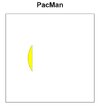
I am new to JS and I would like to create a function to draw a PacMan using sin/cos functions. I defined a function draw_pacman that takes the context, the angle of the open mouth, the x/y position of the object and the radius of the object. The angle is defined as a mouth object multiplied by Greek pi. In theory, the function arc will draw from angle to -angle and the function lineTo should draw a line at the coordinates (cos(angle) * radius, sin(angle) * radius).
However, the result is not that.
What am I getting wrong?
Thank you
 

Attachments

Hiya,
Can you show/explain what you wanted the result to look like ? Not sure how you would "draw a PacMan" with only two graphics operations.
And have you checked the runtime values of your variables ? For example the calculated value of X is -80.9, so you are outside the canvas. You'll need to increase X and Y by x_pos and y_pos, respectively. With that change (and different colors) the output looks like this
a.jpg
Probably not what you had in mind either.... The calculated angle is 2.51 radians (144 degrees), is that what you intended ?
Note that now X and Y are corrected, the command ctx.lineTo(X, Y); becomes redundant - you get the same result without it. Because this just draws from one end of the arc to the other, but closing the path already does that for you.

I hope this helps some.
 
Thank you for your answer. The results should be as the one generated from this code taken from a book:
Code:
<!doctype html>
<html>
  <head>
    <title>Pacmania</title>
    <link rel="stylesheet" href="styles.css">
  </head>
  <body>
    <h1>Pac-man</h1>
    <canvas id="pacmania" width="400" height="400"></canvas>
    <script>
      function draw_pacman(ctx, x, y, r, m) {
        angle = 0.2 * Math.PI * m;
        ctx.save();
        ctx.fillStyle = "yellow";
        ctx.strokeStyle = "black";
        ctx.lineWidth = 0.5;
        ctx.beginPath();
        ctx.arc(x, y, r, angle, -angle);
        ctx.lineTo(x, y);
        ctx.closePath()
        ctx.fill();
        ctx.stroke();
        ctx.restore();
      }
      var context = document.getElementById("pacmania").getContext("2d");
      draw_pacman(context, 200, 200, 150, Math.random());
    </script>
  </body>
</html>

styles.css:
Code:
body {
  text-align: center;
  font-family: sans-serif;
}
canvas {
  background-color: black;
  border: 10px solid white;
}

canvas:focus {
  border: 10px solid grey;
}
 
I see. Indeed a Pacman with just one arc and one draw operation 😲

That example code works ok. I would assume you copied that code to start with, verified that it works, then started changing it ? Did you consider backtracking on these changes to see what broke it ? That would be the normal procedure for any programmer (even a beginner) to follow. Another tip is to check the values of your variables, either with debugger or with console.log() statements. Then you would have seen that your angle is four times larger than it should be. Change mouth to 0.2 as it was in the example.

Another thing wrong is your sin/cos calculation of X and Y. Where on earth did you get that idea from ? In the example, x and y are just the coordinates of the circle midpoint. Change your X and Y to 200 and forget the trigonometry.
 

Buy us a coffee!

Buy me a coffee.
Back
Top Bottom