
I am trying to populate a drop down menu with audio stored in JSON
I have setup a working menu in html but I want to store the list of mp3 files in a separate json file.
Here is the code I am using
The code above works fine as shown in this image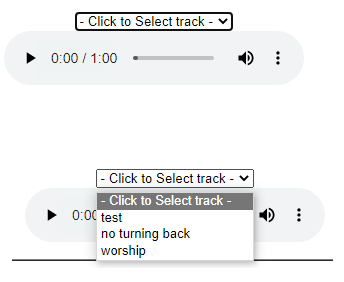
But the mp3 file titles are coded into the script,
I have setup a working menu in html but I want to store the list of mp3 files in a separate json file.
Here is the code I am using
HTML:
</script>

<label for="selection"></label>

<select id="selection">

<option>- Click to Select track -</option>

<option value="https://nerjabible.com/Buttons/Audio_MP3/template_js/test.mp3">test</option>

<option value="https://nerjabible.com/Buttons/Audio_MP3/template_multi/No_Turning_Back.mp3">no turning back</option>

<option value="https://nerjabible.com/Buttons/Audio_MP3/template_multi/worship God alone.mp3">worship</option>

</select>                                                <br/>

<audio id="player" controls="controls">

<source id="mp3_src" src="https://nerjabible.com/Buttons/Audio_MP3/template_js/test.mp3" type="audio/mp3" />

</audio>

<script type="text/javascript">

$(document).ready(function() {


$('#selection').on('change', function() {

change($(this).val());

  });


});


function change(sourceUrl) {

var audio = document.getElementById("player");

var source = document.getElementById("mp3_src");


audio.pause();


 if (sourceUrl) {

source.src = sourceUrl;

audio.load();

audio.play();

  }

}


</script>
The code above works fine as shown in this image

But the mp3 file titles are coded into the script,
Last edited by a moderator:




