

220061
Well-Known Coder
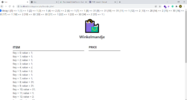
I feel like i almost got the solution but I'm just not there yet maybe some of you can help me. I have this array where I put id's in. what I want to do is show in winkelmandje (a.k.a shopping cart) the items that are equal to the id. how do I do this? I just can't figure it out??
code
code
PHP:
<?php
session_start();
error_reporting(E_ALL);
ini_set('display_errrors', '1');
// session_destroy();
?>
<!DOCTYPE html>
<html lang="en">
<head>
<meta charset="utf-8" />
<meta name="viewport" content="width=device-width, initial-scale=1, shrink-to-fit=no" />
<meta name="description" content="" />
<meta name="author" content="" />
<title>Cart</title>
<!-- Favicon-->
<link rel="icon" type="image/x-icon" href="assets/favicon.ico" />
<!-- Bootstrap icons-->
<link href="https://cdn.jsdelivr.net/npm/[email protected]/font/bootstrap-icons.css" rel="stylesheet" />
<!-- Core theme CSS (includes Bootstrap)-->
<link href="css/styles.css" rel="stylesheet" />
<link href="css/stylecart.css" rel="stylesheet" />
<script src="js/scripts.js" async></script>
</head>
<style>
body {
font-size: 20px;
}
</style>
<body>
<a class="back" href="index.php"> <i class="bi bi-arrow-left-circle-fill bi-5x"></i></a>
<?php
include "config.php";
print_r($_SESSION['basket']);
// oke het is neit geweldig maar het laat iets s
?>
<div class="text-center" style="font-size: 100px;">🛍</div>
<h2 class="text-center">Winkelmandje</h2><br>
<section class="container content-section">
<!-- <h2 class="section-header">CART</h2> -->
<div class="cart-row">
<span class="cart-item cart-header cart-column">ITEM</span>
<span class="cart-price cart-header cart-column">PRICE</span>
<!-- <span class="cart-quantity cart-header cart-column">QUANTITY</span> -->
</div>
<?php
$broodjes_ID = $_GET['broodjes_ID'];
//onthouden van vorige get request
$count = count($_SESSION['basket']); // count basket puts 3 times the same item in the shopping cart
//echo $count;
if($count > 0){
for($i = 0; $i<$count; $i++){
// var_dump($_SESSION['basket']);
foreach($_SESSION['basket'] as $key => $value){
$sum = 0;
echo "Key = $key; value = $value; <br>";
} break;?> <br />
<?php
}
}
?>
<div class="cart-total">
<strong class="cart-total-title">Total</strong>
<span class="cart-total-price"> € <?php echo $sum;?></span>
</div>
<div class="cart-total">
<strong class="cart-total-title">Total</strong>
<span class="cart-total-price"> € 0</span>
</div>
<div class="text-center">
<button class="btn btn-outline-primary" type="button"><a href="bestellen.php">PURCHASE</a></button>
</div>
</section>
</body>



