Welcome to Code Forum!

Join a community that supports you and your coding journey from day one. We strive to be a friendly, supportive community that empowers everyone to be better developers. By registering with us, you'll be able to discuss, share and private message with other members of our community.

SignUp Now!
  • Guest, before posting your code please take these rules into consideration:
    • It is required to use our BBCode feature to display your code. While within the editor click < / > or >_ and place your code within the BB Code prompt. This helps others with finding a solution by making it easier to read and easier to copy.
    • You can also use markdown to share your code. When using markdown your code will be automatically converted to BBCode. For help with markdown check out the markdown guide.
    • Don't share a wall of code. All we want is the problem area, the code related to your issue.

    GIF shows where to locate </> in the thread and or post editor toolbar.
    To learn more about how to use our BBCode feature, review our "How to post your code into threads" here.

    Thank you, Code Forum.

HTML & CSS Centering Images With Text

hairdye

New Coder
Hello. I have been trying for the past 3 hours to center these 4 images with text underneath. After searching and searching and trying everything i have found, I can't figure it out. So if anybody knows what I'm doing wrong I would appreciate the help a lot. Thank you
HTML:
<div class="icons">
          <ul>
            <li>
              <a href="Website/Tutorial/Tutorial.html">
                <img src="Tutorial.png" alt="Tutorial" height="50" width="50"><p>Tutorial</p>
              </a>
            </li>
          </ul>
        </div>
        <div class="icons">
          <ul>
            <li>
              <a href="https://www.discord.gg/tCWnufzmwZ">
                <img src="Discord.png" alt="Discord" height="50" width="50"><p>Discord</p>
              </a>
            </li>
          </ul>
        </div>
        <div class="icons">
          <ul>
            <li>
              <a href="https://www.store.valleymc.org">
                <img src="Store.png" alt="Store" height="50" width="50"><p>Store</p>
              </a>
            </li>
          </ul>
        </div>
        <div class="icons">
          <ul>
            <li>
              <a href="https://www.google.com">
                <img src="Vote.png" alt="Vote" height="50" width="50"><p>Vote</p>
              </a>
            </li>
          </ul>
        </div>
CSS:
.icons {
  float:left;
  margin-left: 100px;
}

.icons a:link {
  text-decoration: none;
}

.icons a:hover img {
  transform: scale(1.5);
  -webkit-transition: transform 0.2s ease-in-out;
}

.icons p {
  color: #FFFFFF;
  font-family: 'Lato', sans-serif;
  font-size: 17px;
  font-weight: 600;
}

.icons li {
    list-style-type: none;
}
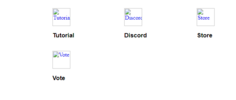
 
Hi @hairdye,

you'll have to add text-align: center; to the CSS of the icons so that the text and images align in the center.
CSS:
.icons {
  float:left;
  margin-left: 100px;
  text-align: center;  /*add this*/
}
 
Hi @hairdye,

you'll have to add text-align: center; to the CSS of the icons so that the text and images align in the center.
CSS:
.icons {
  float:left;
  margin-left: 100px;
  text-align: center;  /*add this*/
}
I had tried this previously and it didn't work. I tried it again and still nothing. I was able to fix it just now by creating a new class for the icons and increasing margin-left: 100px; to margin-left: 150px; Here's what I added in the new class.
Code:
.center {
    margin: auto;
    margin-top: 50px;
    width: 60%;
}
 

Latest posts

Buy us a coffee!

Buy me a coffee.
Back
Top Bottom