Welcome to Code Forum!

Join a community that supports you and your coding journey from day one. We strive to be a friendly, supportive community that empowers everyone to be better developers. By registering with us, you'll be able to discuss, share and private message with other members of our community.

SignUp Now!

CodeLite - Installing compiler PopOS?

Malcolm

Administrator
Administrator
Staff Team
Code+
Hello everyone,

I just finished installing CodeLite on my Pop-OS, I tried compiling a C++ file however the compilers that it comes with or the ones it suggests I use are for windows. Does anyone have any idea on how I can correct this or should I reinstall it and pray it works?
 
Hey.

Seeing as you're on PopOS, which is a GNU/Linux distribution, you should have GCC(GNU-Compiler-Collection) pre-installed. Try looking into using that. If not, see if there is a way to get support.

Also, you may have also accidentally downloaded the wrong version. I'm not saying that you have, but it's a possibility.
 
Hey,
Seeing as you're on PopOS, which is a GNU/Linux distribution, you should have GCC(GNU-Compiler-Collection) pre-installed. Try looking into using that. If not, see if there is a way to get support.
I'll look into it, I perhaps could have made a mistake.

Also, you may have also accidentally downloaded the wrong version. I'm not saying that you have, but it's a possibility.
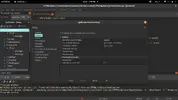
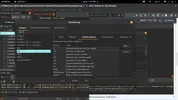
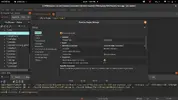
It's definitely a possibility. However, I think I may have found a solution. I'm not sure if you have CodeLite, but the solution was right click on project > settings then under Build settings > Makefile generator select CodeLite Make Generator then it'll ask you to apply changes, click yes.
Screenshot from 2020-07-14 16-07-03.png
Screenshot from 2020-07-14 14-09-10.png
Screenshot from 2020-07-14 16-14-25.webp
 
Last edited:
It's definitely a possibility. However, I think I may have found a solution. I'm not sure if you have CodeLite, but the solution was right click on project > settings then under Build settings > Makefile generator select CodeLite Make Generator then it'll ask you to apply changes, click yes.
I don't use CodeLite(EMACS anyone?), but if this does work, let me know. It might.
 
Back
Top Bottom