Join a community that supports you and your coding journey from day one. We strive to be a friendly, supportive community that empowers everyone to be better developers. By registering with us, you'll be able to discuss, share and private message with other members of our community.
SignUp Now!
Here's the code if of any help.The example uses, I assume, position:sticky. This can be tricky to use. I am thinking they show a second navbar when it 'sticks' but I may be wrong. The items that will 'stick' must be in a specific structure where their direct parent element has the height to scroll. If you are that point, you may need to adjust z-index or at least positioning context of both image and navbar.
Hard to get specific without a link to examine.
<!DOCTYPE html>
<html>
<link rel="stylesheet" href="Mirror.css" />
<link rel="script" href="Mirror.js" />
<link rel="script" href="script.js" />
<link
rel="icon"
type="image/x-icon"
href="img/background/LookintheMirrorFavicon.png"
/>
<body>
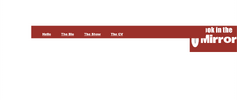
<div id="headlogo" style="background-color: white">
<img align="right" src="img/background/LookInTheMirror.png" width="20%" />
</div>
<div class="mirrornavbar">
<a href="Home.html">Hi</a>
<a href="about_me.html">Bio</a>
<a href="Art.html">Show-Off</a>
<a href="cv.html">The CV</a>
</div>
</body>
</html>
body {
opacity: 100%;
font-family: Eliot Lord;
font-size: 1.4dvw;
margin: 0;
user-select: none;
-webkit-user-drag: none;
}
.mirrornavbar {
font-family: "Times New Roman", Times, serif;
background-color: #a92323;
font-weight: 900;
padding: 40px;
}
.mirrornavbar {
margin: 200px 200px;
height: 0px;
background: #a92323;
position: relative;
}
.headlogo {
z-index: 4000000000000;
}
.header {
color: #a92323;
padding: 200px;
}
.mirrornavbar a {
font-family: "Arial Black";
color: white;
padding: 30px 30px 50px;
}
body {
opacity: 100%;
font-family: Eliot Lord;
font-size: 2.6dvh;
font-weight: 900;
margin: 0;
user-select: none;
-webkit-user-drag: none;
cursor: url(img/background/cursors/Mouse%20cursor.png),
url(img/background/cursors/pointer1.png), pointer;
}
a:hover,
img[onClick],
div[onclick] {
cursor: url("img/background/cursors/pointer1.png"),
url("img/background/cursors/Mouse%20cursor.png"),
url("img/background/cursors/Finger%20cursor.png"), pointer;
}
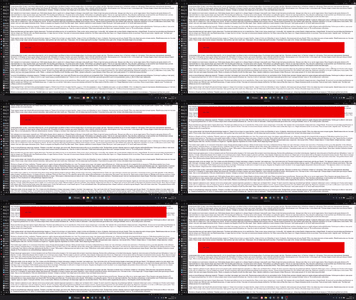
top property to set the gap between the top of the page and the navigation bar, apply sticky positioning to the element, and set the z-index to a higher value than anything else on the page.<body>
<p>content</p>
<div class="nav">some links</div>
<p>content</p>
</body>
.nav {
position: sticky;
z-index: 10;
top: 20px;
left: 0;
right: 0;
margin: 0 100px;
padding: 50px;
background: red;
}

Code Forum is a community platform where coding enthusiasts can connect with other developers, engage in discussions, ask for help, and share their knowledge with a supportive community. It's a perfect place to improve your coding skills and to find a community of like-minded individuals who share your passion for coding.
We use essential cookies to make this site work, and optional cookies to enhance your experience.