Welcome to Code Forum!

Join a community that supports you and your coding journey from day one. We strive to be a friendly, supportive community that empowers everyone to be better developers. By registering with us, you'll be able to discuss, share and private message with other members of our community.

SignUp Now!
  • Guest, before posting your code please take these rules into consideration:
    • It is required to use our BBCode feature to display your code. While within the editor click < / > or >_ and place your code within the BB Code prompt. This helps others with finding a solution by making it easier to read and easier to copy.
    • You can also use markdown to share your code. When using markdown your code will be automatically converted to BBCode. For help with markdown check out the markdown guide.
    • Don't share a wall of code. All we want is the problem area, the code related to your issue.

    GIF shows where to locate </> in the thread and or post editor toolbar.
    To learn more about how to use our BBCode feature, review our "How to post your code into threads" here.

    Thank you, Code Forum.

Python Feedback on snake game.

skifli

Backend Developer
Hey,

For fun I challenged myself to make a snake game in Python entirely in the console without any external libraries (apart from `colorama` and `pynput`). I was wondering if anyone might have any feedback on the game's code, specifically in ways to simplify the code. The code isn't that well documented (working on it), and so if there are any ambiguous parts I would be happy to explain them.

Code: GitHub - skifli/snek: It's snake. But snek. And in Python.

Example Image:

cover.png
 
Hey,

For fun I challenged myself to make a snake game in Python entirely in the console without any external libraries (apart from `colorama` and `pynput`). I was wondering if anyone might have any feedback on the game's code, specifically in ways to simplify the code. The code isn't that well documented (working on it), and so if there are any ambiguous parts I would be happy to explain them.

Code: GitHub - skifli/snek: It's snake. But snek. And in Python.

Example Image:

cover.png
NIIIIICE!
Any challenges you faced?
 
NIIIIICE!
Any challenges you faced?
One was working out how to make the world size automatically fit into the terminal's width and height. The height wasn't that hard, but the width was harder because for every vertex in the world there are two characters printed (e.g. `██` not just `█` because one is rectangular but two make a square). I didn't realise this at first when calculating the world width, but eventually I figured it out.
 
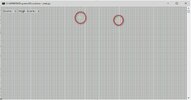
I downloaded snek.py and gave it a go, but it does not look so good for me - almost impossible to see the action :

a.jpg

I'm probably missing something ?
 
Do you have support for Unicode fonts enabled in Windows settings? It looks like the characters used to display the entities aren't rendering properly.
Thanks. Unicode was the key indeed, but not in the way you suspected. My mistake was that I had copied and pasted the file contents into my Text Editor, then saved as UTF-8. That should have been Unicode of course, but it would not have helped, the damage was already done after the paste. So I used good old Notepad and voila it works 😀 I otherwise stay well clear of Notepad but one thing you can say about it is that it's fully Unicode enabled by default.
EDIT - Perhaps it would be wise to not hardcode the Unicode chars in your code, but use something like \u1234 (not sure of the syntax in Python).
 
Thanks. Unicode was the key indeed, but not in the way you suspected. My mistake was that I had copied and pasted the file contents into my Text Editor, then saved as UTF-8. That should have been Unicode of course, but it would not have helped, the damage was already done after the paste. So I used good old Notepad and voila it works 😀 I otherwise stay well clear of Notepad but one thing you can say about it is that it's fully Unicode enabled by default.
EDIT - Perhaps it would be wise to not hardcode the Unicode chars in your code, but use something like \u1234 (not sure of the syntax in Python).
Thanks for the advice, I have added a note to the README about Unicode support and now the chars aren't hardcoded in the code.
 
Just finished rewriting the whole program; hopefully the code is easier to understand now. I always find it easier to rewrite a program a second time before expanding the first version as I find I'm able to write much better code the second time.
 

Buy us a coffee!

Buy me a coffee.
Back
Top Bottom