

mariag
Coder
Hello everyone
so I made this website from a ready made template but
I am stuck at mobile version of my site I tried to do it but last when i gave up i thought to ask you guys
if you have time can you please take a look here at your mobile version of www.weddingpaperlove.com
when we click menu and click
wedding invitations
the links in dropdown menu get cut off,
if we go lower even logo gets cut off is there a way to fix this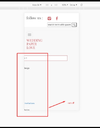
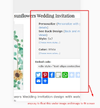
also when we click a product then on product page like here http://www.weddingpaperlove.com/rus...on_zazzle_invitation2-256736257993773878.html
any way to float things under image on left and resize image for mobile version?
I would like to renew site using a free web template but it does not have mega menu and I tried to fix it but I can't, if someone can help me with that too let me know
thank you in advance
Maria
so I made this website from a ready made template but
I am stuck at mobile version of my site I tried to do it but last when i gave up i thought to ask you guys
if you have time can you please take a look here at your mobile version of www.weddingpaperlove.com
when we click menu and click
wedding invitations
the links in dropdown menu get cut off,
if we go lower even logo gets cut off is there a way to fix this
also when we click a product then on product page like here http://www.weddingpaperlove.com/rus...on_zazzle_invitation2-256736257993773878.html
any way to float things under image on left and resize image for mobile version?
I would like to renew site using a free web template but it does not have mega menu and I tried to fix it but I can't, if someone can help me with that too let me know
thank you in advance
Maria





