Welcome to Code Forum!

Join a community that supports you and your coding journey from day one. We strive to be a friendly, supportive community that empowers everyone to be better developers. By registering with us, you'll be able to discuss, share and private message with other members of our community.

SignUp Now!
  • Guest, before posting your code please take these rules into consideration:
    • It is required to use our BBCode feature to display your code. While within the editor click < / > or >_ and place your code within the BB Code prompt. This helps others with finding a solution by making it easier to read and easier to copy.
    • You can also use markdown to share your code. When using markdown your code will be automatically converted to BBCode. For help with markdown check out the markdown guide.
    • Don't share a wall of code. All we want is the problem area, the code related to your issue.

    GIF shows where to locate </> in the thread and or post editor toolbar.
    To learn more about how to use our BBCode feature, review our "How to post your code into threads" here.

    Thank you, Code Forum.

Playing Audio Using Keystrokes: Is It Possible?

Annabelle5893

Gold Coder
I'm wondering, how would I make an app that plays audio files using the keys on the number pad? Specifically, I want to make an app that triggers "Rotary Pulse 1" by pressing 1 on the numeric keypad, all the way up to "Rotary Pulse 0" on the 0 key. A dial tone will be toggled on by pressing the spacebar, which will begin with a "receiver pickup" noise. The dial tone turns off when digits are dialed via the numeric keypad. If you press the spacebar either when the dial tone is on, or after dialing a number, a "Receiver Hang Up" noise will be triggered. With the rotary dial sounds, the dial turning to the fingerhole is triggered at key down, and the release of the dial returning to the resting position will be triggered by releasing of the number corresponding to the fingerhole (1, 2, 3, 4, 5, 6, 7, 8, 9, 0). This will be accompanied by the internal sound of the dial pulses as heard in a telephone. What is the code I would use to make this audio app using HTML?
 
Yes I believe so. Does this look right?
Code:
        case 32:
            button.addEventListener("click", function() {
                        toggleLineStatus();
Ok so because you have that there, you don't need the other snippet of code. So go ahead and remove it.
Remove this:

JavaScript:
document.getElementById('toggleLineStatus').onclick=function(){
    toggleLineStatus()
};
 
I'm not finding an exact variable of "Telephone Answered". Here's what I find.
Code:
function receiverRaised(){
    if(allowDial == false) {
        telephoneAnswered()
    }
 
    if(allowDial == true) {
        dialTone.play();
    } else {
        offHook ();
        timeoutHowler.play();
    }
}

setCallTimeout();

function setCallTimeout(){
    var delay=5000;
    var delayCaller=Math.floor((Math.random()*8000)+1);
    delay=delay+delayCaller;
    setTimeout(incomingCall,delay);
}

function offHook(){
    isOffHook=true;
    document.getElementById("WE2500").style.display="none";
    document.getElementById("dialPad").style.display="block";
}

function dialToneTimedOut() {
    allowDial=false;
    timeoutHowler();
    if(DialToneTimedOut == true) {
        timeoutHowler.play();
        timeoutHowler.currentTime=0;
    }
}

function incomingCall(){
    var ringRing=new Audio('Ringing Tone/Princess%20702B%20Bell%20Ring.ogg');
    var hasTelephoneBeenAnswered=false;
    ringTelephone();
}

function ringTelephone(){
    if(!hasTelephoneBeenAnswered) {
        ringRing.play();
        ringRing.currentTime=0;
    }
     else {
    if(isOffHook == false) {
        ringRing.play();
    }
    if(allowDial == false) {
        callIncoming=true;
        setInterval(ringTelephone,5500);
    }
}
 
I'm not finding an exact variable of "Telephone Answered". Here's what I find.
Code:
function receiverRaised(){
    if(allowDial == false) {
        telephoneAnswered()
    }
 
    if(allowDial == true) {
        dialTone.play();
    } else {
        offHook ();
        timeoutHowler.play();
    }
}

setCallTimeout();

function setCallTimeout(){
    var delay=5000;
    var delayCaller=Math.floor((Math.random()*8000)+1);
    delay=delay+delayCaller;
    setTimeout(incomingCall,delay);
}

function offHook(){
    isOffHook=true;
    document.getElementById("WE2500").style.display="none";
    document.getElementById("dialPad").style.display="block";
}

function dialToneTimedOut() {
    allowDial=false;
    timeoutHowler();
    if(DialToneTimedOut == true) {
        timeoutHowler.play();
        timeoutHowler.currentTime=0;
    }
}

function incomingCall(){
    var ringRing=new Audio('Ringing Tone/Princess%20702B%20Bell%20Ring.ogg');
    var hasTelephoneBeenAnswered=false;
    ringTelephone();
}

function ringTelephone(){
    if(!hasTelephoneBeenAnswered) {
        ringRing.play();
        ringRing.currentTime=0;
    }
     else {
    if(isOffHook == false) {
        ringRing.play();
    }
    if(allowDial == false) {
        callIncoming=true;
        setInterval(ringTelephone,5500);
    }
}
So I found what may be the issue lol
JavaScript:
function incomingCall(){
    var ringRing=new Audio('Ringing Tone/Princess%20702B%20Bell%20Ring.ogg');
    var hasTelephoneBeenAnswered=false;
    ringTelephone();
}

function ringTelephone(){
    if(!hasTelephoneBeenAnswered) {
        ringRing.play();
        ringRing.currentTime=0;
    }
     else {
    if(isOffHook == false) {
        ringRing.play();
    }
    if(allowDial == false) {
        callIncoming=true;
        setInterval(ringTelephone,5500);
    }
}

if you look at these two functions, you will see you use the variable in question "hasTelephoneBeenAnswered"... BUT there's a big difference. In the first function, you do define the variable, but not on the second one. Unfortunately, any variable that you define inside of a function will only be used inside of that function. You would need to declare that variable outside of the function, in order for it to be used anywhere in the code.
 
So I found what may be the issue lol
JavaScript:
function incomingCall(){
    var ringRing=new Audio('Ringing Tone/Princess%20702B%20Bell%20Ring.ogg');
    var hasTelephoneBeenAnswered=false;
    ringTelephone();
}

function ringTelephone(){
    if(!hasTelephoneBeenAnswered) {
        ringRing.play();
        ringRing.currentTime=0;
    }
     else {
    if(isOffHook == false) {
        ringRing.play();
    }
    if(allowDial == false) {
        callIncoming=true;
        setInterval(ringTelephone,5500);
    }
}

if you look at these two functions, you will see you use the variable in question "hasTelephoneBeenAnswered"... BUT there's a big difference. In the first function, you do define the variable, but not on the second one. Unfortunately, any variable that you define inside of a function will only be used inside of that function. You would need to declare that variable outside of the function, in order for it to be used anywhere in the code.
Should I put the variable above the function? Maybe below the } of the function?
 
So I found what may be the issue lol
JavaScript:
function incomingCall(){
    var ringRing=new Audio('Ringing Tone/Princess%20702B%20Bell%20Ring.ogg');
    var hasTelephoneBeenAnswered=false;
    ringTelephone();
}

function ringTelephone(){
    if(!hasTelephoneBeenAnswered) {
        ringRing.play();
        ringRing.currentTime=0;
    }
     else {
    if(isOffHook == false) {
        ringRing.play();
    }
    if(allowDial == false) {
        callIncoming=true;
        setInterval(ringTelephone,5500);
    }
}

if you look at these two functions, you will see you use the variable in question "hasTelephoneBeenAnswered"... BUT there's a big difference. In the first function, you do define the variable, but not on the second one. Unfortunately, any variable that you define inside of a function will only be used inside of that function. You would need to declare that variable outside of the function, in order for it to be used anywhere in the code.

Should I put the variable above the function? Maybe below the } of the function?


That should be before the functions.
 
That should be before the functions.
How's this?
Code:
    var ringRing=new Audio('Ringing Tone/Princess%20702B%20Bell%20Ring.ogg');
    var hasTelephoneBeenAnswered=false;
    ringTelephone();

function incomingCall(){
}

function ringTelephone(){
    if(!hasTelephoneBeenAnswered) {
        ringRing.play();
        ringRing.currentTime=0;
    }
     else {
    if(isOffHook == false) {
        ringRing.play();
    }
    if(allowDial == false) {
        callIncoming=true;
        setInterval(ringTelephone,5500);
    }
}
 
How's this?
Code:
    var ringRing=new Audio('Ringing Tone/Princess%20702B%20Bell%20Ring.ogg');
    var hasTelephoneBeenAnswered=false;
    ringTelephone();

function incomingCall(){
}

function ringTelephone(){
    if(!hasTelephoneBeenAnswered) {
        ringRing.play();
        ringRing.currentTime=0;
    }
     else {
    if(isOffHook == false) {
        ringRing.play();
    }
    if(allowDial == false) {
        callIncoming=true;
        setInterval(ringTelephone,5500);
    }
}
You can leave ringTelephone(); inside of incomingCall
 
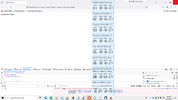
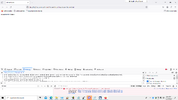
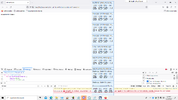
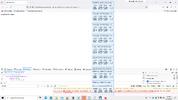
Here's an error that I've never had before. I'm not sure why this error occurred, but I thought this was gonna work since what I wrote must look accurate, right?
View attachment 2447
... is there a way you can minimize those clocks? As it stands, that column of clocks is going to get in the way of the error messages every time you may get an error.. before we proceed further, Can you please either minimize that, or hide it for the time being?
 
Like I mentioned before... that column of alarm clocks you got there is blocking the error messages, thus there is some information that cannot be determined from the error message due to the clocks appearing in front of it. Can you please either move them out of sight, or hide them so that the console can be seen properly?
 

Buy us a coffee!

Buy me a coffee.
Back
Top Bottom