The directory structure I'm using:
car.py should be something like:
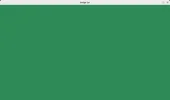
This should give a pygame window like this
- car
- media
- images
- cars
- images
- car.py
- media
car.py should be something like:
Python:
# Do the imports
import pygame
import os

'''
 Get the path of the working directory
 Should get the correct path in console or editor
 We will use this to access directories containing
 images and sound
'''
path = os.path.realpath(os.path.dirname(__file__))

'''
 Initiate pygame to acces all classes and functions
'''

pygame.init()

'''
 Setup the pygame time clock.
 We will use this to set the framerate
'''
clock = pygame.time.Clock()

# Set the framerate
fps = 60

'''
 Setup our screen window. A tuple is needed for setting width and height
 I'm going to use a 1280 width and 720 height
'''
screen_size = (1280, 720)
screen = pygame.display.set_mode(screen_size)

# Set the caption for the window
pygame.display.set_caption('Dodge Car')

running = True

# Start the game loop
while running:

    # Set background color
    screen.fill('seagreen')

    '''
     Get pygame events. There is 2 ways to do this.
     We can use pygame.event.poll() - return one event or
     we can use a loop and get all events. We will use the latter -
     pygame.event.get()
    '''

    # Get keys that are pressed
    key = pygame.key.get_pressed()

    for event in pygame.event.get():

        # A way to exit pygame
        if event.type == pygame.QUIT:
            running = False

        # Can press the esc key and exit the game
        if key[pygame.K_ESCAPE]:
            running = False


    # Update the screen
    pygame.display.update()

    # Set our framerate
    clock.tick(fps)
pygame.quit()
This should give a pygame window like this




