ppowell777
Well-Known Coder
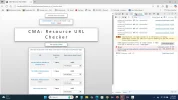
I wrote a simple CMA that displays database information that includes various URLs displayed on my website that is managed by my CMA. The URLs display just fine, and all is well, however, what if that URL goes "bad"? What if the URL returns a 403, 404, or even a 0, if you click onto the URL from my CMA?
I want to be able to determine that before I click onto the link.
I wrote a simple function in Javascript that I thought could do it, but it constantly says that every URL is fine, even "bad" ones like www . thiswillabsolutelyneverworkdonttry . com. Although the response status is 0, as expected, it still returns true anyway, which makes zero sense; furthermore, I still get
Is this even possible in Javascript, or this is impossible for Javascript to accomplish?
Code:
Thanks
I want to be able to determine that before I click onto the link.
I wrote a simple function in Javascript that I thought could do it, but it constantly says that every URL is fine, even "bad" ones like www . thiswillabsolutelyneverworkdonttry . com. Although the response status is 0, as expected, it still returns true anyway, which makes zero sense; furthermore, I still get
Failed to load resource: net::ERR_NAME_NOT_RESOLVED
Is this even possible in Javascript, or this is impossible for Javascript to accomplish?
Code:
JavaScript:
/**
 * Options object based on https://stackoverflow.com/questions/41030425/disabling-cors-using-js-fetch
 */
async function checkUrl(url) {
    try {
        const controller = new AbortController();
        const timeout = setTimeout(() => { controller.abort(); }, 2000);
        const options = {
          method: 'GET',
          mode: 'no-cors',
          signal: controller.signal
        };
        await fetch(url, options)
             .then((response) => {
                // BASED ON https://dmitripavlutin.com/timeout-fetch-request/ PUT clearTimeout() BEFORE THE return STATEMENT BLOCK
                clearTimeout(timeout);
                if (response.status >= 200 && response.status < 400) {
                    return true;
                } else {
                    return false;
                }
             })
             .catch((e) => { return false; });
    } catch (e) {
        console.error(`Unable to run checkUrl(): ${e.message}`);
    }
}
Thanks