Welcome to Code Forum!

Join a community that supports you and your coding journey from day one. We strive to be a friendly, supportive community that empowers everyone to be better developers. By registering with us, you'll be able to discuss, share and private message with other members of our community.

SignUp Now!
  • Guest, before posting your code please take these rules into consideration:
    • It is required to use our BBCode feature to display your code. While within the editor click < / > or >_ and place your code within the BB Code prompt. This helps others with finding a solution by making it easier to read and easier to copy.
    • You can also use markdown to share your code. When using markdown your code will be automatically converted to BBCode. For help with markdown check out the markdown guide.
    • Don't share a wall of code. All we want is the problem area, the code related to your issue.

    GIF shows where to locate </> in the thread and or post editor toolbar.
    To learn more about how to use our BBCode feature, review our "How to post your code into threads" here.

    Thank you, Code Forum.

JavaScript Wondering what I've done wrong here- not sure if it's html or JS related

Edrol97

Silver Coder
Hi all, not sure what's up with my code here. The code is to click an image and then a gallery appears. It's not currently scrolling as it should. How do I change this? I had it right and not sure what I did wrong to make it not work. Currently, it's just showing one image and then when the arrows are pushed within the code, they produce nothing. Only one image of my entire image_slide class shows up. The only error that the Console shows is:
VM73:1 Uncaught TypeError: slides is not a function
at <anonymous>:1:1

HTML is as follows

HTML:
<!DOCTYPE html>
<html lang="en">
  <head>
    <meta charset="UTF-8">
    <meta name="viewport" content="width=device-width, initial-scale=1.0">
    <meta http-equiv="X-UA-Compatible" content="ie=edge">
    <title>Image carousel</title>
    <link rel="stylesheet" href="style.css">
  </head>
  <body>
    <div class="container">
        <img src="img/A%20Bit%20Of%20A%20Mix%20Up.png" alt=" "width="300px" onclick="LaunchLightbox()">

    </div>
    <div class="slide-show_container">
        <div class="next_button" onclick="NextImage()">&#8594</div>
        <div class="previous_button" onclick="PreviousImage()">&#8592</div>
        <div class="close_button" onclick="CloseLightbox()">X</div>
        <div class="image_slide" onclick="slides()"></div>
        <div class="image_slide">
            <img src="img/A%20Bit%20Of%20A%20Mix%20Up.png" alt=" "width="300px">
            <div class="caption_text">Rishi's getting a bit mixed up</div>
        <div class="image_slide">
            <img src="img/Culture%20War%20On%20Woke.png" alt=" "width="300px">
            <div class="caption_text">The Tories are looking for an election strategy</div>
        </div>
        <div class="image_slide">
            <img src="img/Nothing to see here.png" alt=" "width="300px">
            <div class="caption_text">The Tories are looking for an election strategy</div>
        </div>
        <div class="image_slide">
            <img src="img/Out of Tune ideas.png" alt="" width="300px">
            <div class="caption_text">No ideas incoming</div>
        </div>
        <div class="image_slide">
            <img src="img/Budget Fare.png" alt="" width="300 px">
            <div class="caption_text">One way ticket to nowhere for the Tories
        </div>
        <div class="image_slide">
            <img src="img/Bad Times logo Colourised W.png" alt="" width="300px">
            <div class="caption_text">Bad Times continue with the Tories
        </div>
        <div class="image_slide">
            <img src="img/That's Racist.png" alt="" width="500px"
            div class="caption_text">The Frank Hester row wages on, as the Tories are embroiled in a racism row</div>
        </div>
        </div>


    </div>

    <script src="script.js"></script>
</body>
</html>

JS is below:

JavaScript:
let slides = document.getElementsByClassName("image_slide");

let counter=0;
slides[counter].style.display="block";
setTimeout("slides()", 2000);
function NextImage(){
    slides[0].style.display="none";
    slides[1].style.display="none";
    slides[2].style.display="none";
    slides[3].style.display="none";
    slides[4].style.display="none";
    slides[5].style.display="none";
    counter=counter+1;
    if (counter > 6){
        counter=0;

    }
    slides[counter].style.display="block";
}


function PreviousImage(){
    slides[0].style.display="none";
    slides[1].style.display="none";
    slides[2].style.display="none";
    slides[3].style.display="none";
    slides[4].style.display="none";
    slides[5].style.display="none";
    counter=counter-1;
    if (counter < 0){
        counter=6;
    }
    slides[counter].style.display="block";
 
}

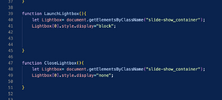
function LaunchLightbox(){
    let Lightbox= document.getElementsByClassName("slide-show_container");
    Lightbox[0].style.display="block";


}

function CloseLightbox(){
    let Lightbox= document.getElementsByClassName("slide-show_container");
    Lightbox[0].style.display="none";

}
 

Attachments
  • Screenshot 2024-03-19 at 12.57.36.png
    Screenshot 2024-03-19 at 12.57.36.png
    107.2 KB · Views: 4
  • Screenshot 2024-03-19 at 12.57.02.png
    Screenshot 2024-03-19 at 12.57.02.png
    345.1 KB · Views: 4
Last edited:
Ha, I can get on my hobby horse right away :blush:

If your page does not work as expected/intended, two steps are essential before you do anything else:
  • Check your HTML code in the W3C Online HTML validator. Fix all the HTML errors one by one.
  • Start the Debugger (F12), re-run the page and look for messages in the Console tab. Fix all the JavaScript errors one by one.
Make these steps a habit, it really pays off.

With the amount of errors reported by the validator, it surprises me that your page seems to be doing anything at all (which is by virtue of HTML being extremely lenient).
 
Ha, I can get on my hobby horse right away :blush:

If your page does not work as expected/intended, two steps are essential before you do anything else:
  • Check your HTML code in the W3C Online HTML validator. Fix all the HTML errors one by one.
  • Start the Debugger (F12), re-run the page and look for messages in the Console tab. Fix all the JavaScript errors one by one.
Make these steps a habit, it really pays off.

With the amount of errors reported by the validator, it surprises me that your page seems to be doing anything at all (which is by virtue of HTML being extremely lenient).
OK, I'm not sure if it was my html that was the problem because it was working really well before I changed some JS on my file last night. I've been taught that html is fairly forgiving. I think the problem is in my JS because that manages the slide show element. I'm fairly new to JS but can you see anything in it that looks a bit off? Also, the debugging done by W3 Schools checker seems quite particular, and when I just make one amendment- say the semicolon at the end of the character reference defining the arrows to move the slideshow, in my console and on VSCode this is seen as an error.
 
OK, I'm not sure if it was my html that was the problem because it was working really well before I changed some JS on my file last night. I've been taught that html is fairly forgiving. I think the problem is in my JS because that manages the slide show element. I'm fairly new to JS but can you see anything in it that looks a bit off? Also, the debugging done by W3 Schools checker seems quite particular, and when I just make one amendment- say the semicolon at the end of the character reference defining the arrows to move the slideshow, in my console and on VSCode this is seen as an error.
Ok, if it worked well until you changed some JS I agree it's probably not the HTML. But I don't know how you can live with the fact that your HTML is riddled with errors. Yes HTML is extremely lenient but errors can mean that it does not work as you intended, and can also mean that stuff may break in the future. I'd really spend some time fixing these errors regardless whether they're causing your problem or not. But it's your call.

No, I don't seen anything untoward in your JS. Looks neat and tidy. But the proof is in eating the pudding. Are you getting any errors/warnings in your Console ?

As to your last point about the "debugging done by the W3C Schools checker", I don't get it. This validator is not a debugger, it is not interested in JS as long as it doesn't upset the HTML. Please clarify with an example.

PS - No point in posting screenshots of code - especially not if you also duly posted the code itself 🤪
 
Last edited:

Buy us a coffee!

Buy me a coffee.
Back
Top Bottom